Games / PUBG

PUBG macros for your weapon and scope

A PUBG macro needs to match your weapon, stance, scope and attachments. Even changing the grip on an M416 can affect the result. Here is what to check in a pack and how to choose a file for your mouse.

Browse the shop

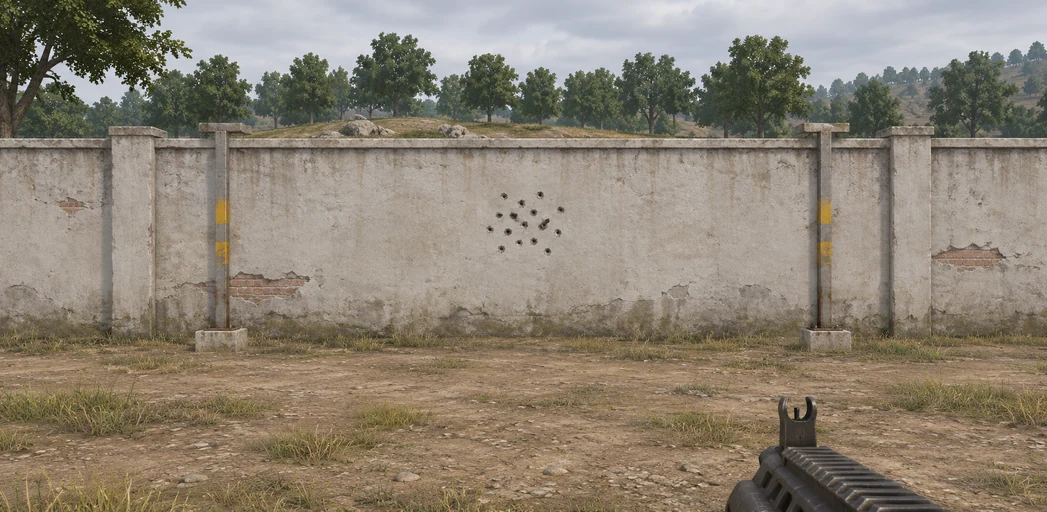
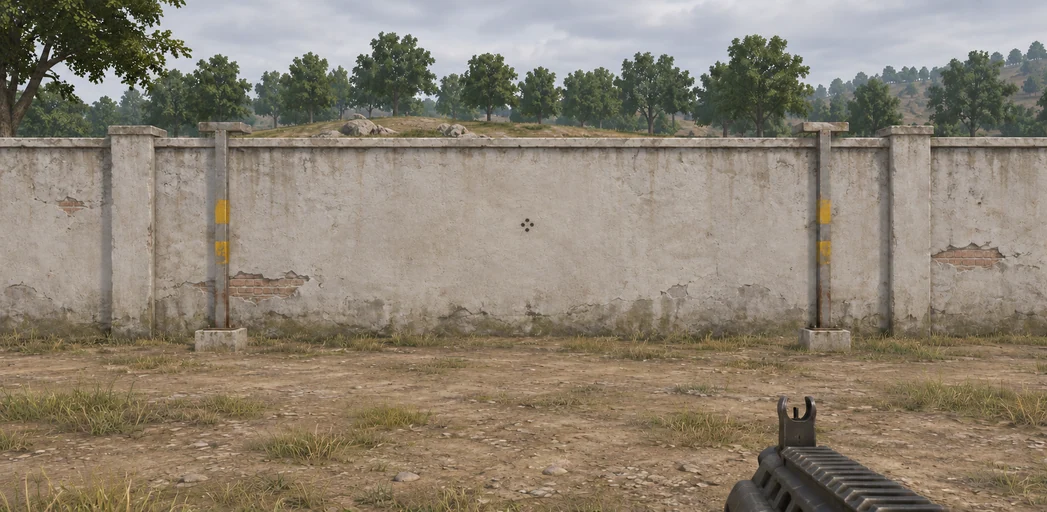
PUBG before and after

PUBG illustration: without recoil compensation, hits spread across the wall.
Before — without a macro
PUBG illustration: with recoil compensation, hits form a compact group.
After — with a macro

About the game

In PUBG: BATTLEGROUNDS, many decisions begin in the air. Landing in a town gives you quick access to weapons, but you may meet an opponent in the first house. Landing farther out gives you more time to gear up, though reaching the safe zone may require a vehicle.

The blue zone steadily shrinks the playable area. A good position rarely stays useful for the whole match. A distant hillside with a clear view of opponents may give way to a fight over nearby cover, where quickly identifying the direction of incoming fire matters more.

What you need to use macros

First, choose the mouse you need a macro for.

PUBG packs

Match pack contents to your weapon, sight and stance. One rifle may have separate files for different firing conditions.

Macro suitability
Editorial rating by mouse type and launch conditions.

G HUB

A Logitech macro is a Lua script (.lua). Select the correct profile in G HUB, click Create a new Lua script and load the file.

Bloody 7 and WorkShop 8

For an .amc file, follow the guide for your mouse software. If you received an .mgn file, open the section for that format in the Bloody 7 guide.

Oscar Editor

Open the .amc file in the Oscar Editor for your X7 model. Assign the macro to a button and save the settings using Download to Mouse.

Razer Synapse

Compare your Synapse version with the macro description. Add the .xml file through the Macro module, then assign it to a button and choose a playback mode.

Windows application

After buying a key, sign in to your account and download the application. The product page lists connection methods and explains when a MAKCU board is required.

Supported games

  • Rust
  • Counter-Strike 2
  • PUBG (PC)
  • Apex Legends
  • THE FINALS

Why choose us

Macros for your in-game settings

Choose a ready-made macro for your usual sensitivity, or a pack where adjustment is included in the price. With a suitable option, you can keep your game settings without placing a separate custom order.

Support

If you have trouble with a purchased macro, contact the seller through your order conversation on Oplata.info. We can help you find where to import the file and what to check if the result differs from what you expected.

Quality

We match macro movements to the weapon and game settings to reduce the manual correction needed during a burst. Compensation uses mouse input without injecting into the game process. Random spread remains.

Android and MAKCU

Macros run in our Android app, while a MAKCU board sends commands to the gaming PC. You need the board and a compatible phone or tablet with USB OTG. Supported games are listed in the application description.

Guarantee and updates

If the product you receive does not match its description, we will review your case and offer a solution under the shop terms. When a macro version is released for changed recoil, it is available free of charge if those updates are included in your purchase terms.

Reviews from buyers

Reviews are left by customers who placed an order through Digiseller. If you have trouble with a macro, write in your order conversation on Oplata.info. The order number and a description of the problem help us investigate faster.

PUBG macros and cheats: how they differ

A macro for a weapon and sight

A mouse file plays recorded movements with defined delays. For example, an M416 version for a red-dot sight and crouched fire is prepared for that particular burst. Changing the optic may produce a different result with the same movements.

Highlighting players behind cover

A wallhack can show an opponent’s silhouette through a wall. It reveals where the opponent is before they enter the player’s normal field of view.

Frequently asked questions

Why does my aim drift after changing stance?

If your pack includes separate macros for standing, crouching or going prone, first check that you have selected the version for your stance. Then check your sensitivity.

Can I keep my usual DPI?

You can use any DPI setting on your mouse; it will not affect how the macro works.

Why does the macro activate when I use my inventory?

An LMB macro activates whenever you hold the left mouse button. To use the left button normally in your inventory, choose LMB + RMB if your pack includes that version. It applies compensation only while both mouse buttons are held: the right button to aim and the left button to fire.

What should I send when requesting an adjustment?

To have your PUBG pack adjusted, take a screenshot of your in-game settings showing ADS, the vertical sensitivity multiplier and the values for the scopes you use. Send it to the seller through your order conversation on Oplata.info. Include the file name, mouse model and editor, plus your weapon, stance, scope and attachments.

Search Recoilab

All pages: 56

↑